![Screenshot 2025-05-28 09.12.17-1.png]](https://support.orlo.tech/hs-fs/hubfs/Screenshot%202025-05-28%2009.12.17-1.png?height=40&name=Screenshot%202025-05-28%2009.12.17-1.png)
Things to consider ✅
- This is only available on Facebook as a feature.
Benefits 🙌
-
Enhanced Confidentiality: Immediately limits access to sensitive information, ensuring the discussion remains private and secure only for the intended participants.
-
Focused Communication: Clears up the public channel and removes distracting noise, allowing for a dedicated, uninterrupted, and highly relevant discussion.
Navigating to the Inbox Area
1) To access the inbox area, users can click on the 'Inbox' icon in the top dashboard of Orlo.
2) Next, users will need to select the public message they want to reply and click directly on the message. The selected public message will then be highlighted in blue.
3) Once users have selected the message they want to respond to, users can click on the 'Message Directly' Icon, where the DM message text can be added to be sent.
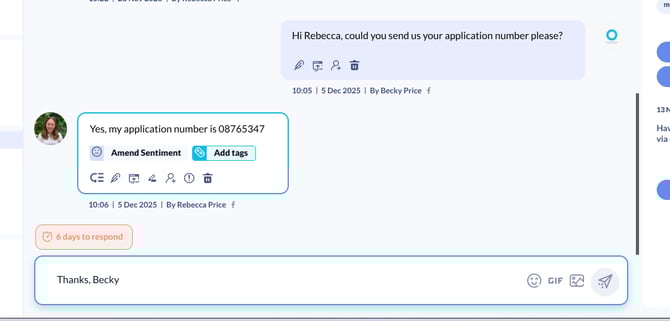
4) This will then send a DM to the member of the public, where they can reply with any relevant information that has been requested. Any replies will then feed through to the Orlo inbox.
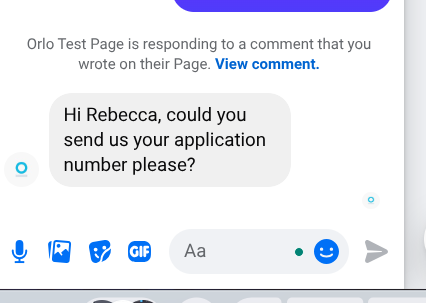
How this is displayed natively:
Replies back into the Orlo inbox: